
PS6 News: Is Sony Preparing an Early Launch?
Sony’s next-gen planning is moving faster than most expected. With the current cycle mature and supply chains stabilizing, chatter about silicon, cooling, and dev-kits has shifted from rumor to early engineering reality. If you’re mapping your next upgrade, the PS6 Console Leaks are the signal to watch.
Most credible reporting points to a 2026 target for Sony 2026 Hardware, but the real headline is how different this approach looks versus the PS5 era. Between next-gen RDNA graphics, aggressive memory bandwidth targets, and a renewed focus on AI upscaling, the platform looks designed to punch above its weight class without relying solely on raw clock speeds.
Here’s the part that matters for buyers and builders: Sony is reportedly prioritizing efficiency, thermals, and cost control—three things that determine launch price, noise levels, and long-term reliability. That means smarter cooling, a tighter SoC, and software tricks to keep performance high while keeping power in check.
Quick takeaways
-
- Expect a heavy focus on AI-assisted rendering and CPU efficiency rather than pure GPU brute force.
-
- Thermals and idle power are design priorities; launch noise should be lower than PS5 launch models.
-
- Backward compatibility remains a lock; PS4/PS5 libraries should carry forward without friction.
-
- Storage speeds will jump again, but capacity at entry tier is the big question mark.
-
- Dev kits emphasize higher bandwidth and AI acceleration; games will leverage upscaling and frame generation.
-
- Pricing will hinge on yield and APU size; a 2026 window is plausible but not guaranteed.
What’s New and Why It Matters
The PS6 conversation is no longer abstract. Between foundry roadmaps and AMD’s RDNA evolution, the pieces for a 2026 console are already on the table. The key shift is in philosophy: instead of chasing raw teraflops, Sony appears to be building a balanced, AI-forward platform that leverages smarter rendering and tighter CPU scheduling to keep frame times consistent. For players, this means steadier performance and quieter hardware. For developers, it means more headroom to build denser worlds without melting the console.
Why this matters now: the mid-gen refresh cycle taught the industry that efficiency beats excess. A smaller, cooler APU with better memory compression and AI upscaling can deliver near-PS5 Pro visuals at a PS5-day price. That’s the consumer win. The business win is a platform that’s cheaper to build, easier to cool, and simpler to ship globally. If the PS6 Console Leaks hold true, we’re looking at a console designed to sustain high frame rates with less power and smarter software.
From a market perspective, timing is also a lever. A 2026 cadence lines up with a new TV cycle, wider 120Hz/HDMI 2.1 adoption, and a mature base of cross-gen titles. It also gives Sony a chance to reset entry pricing while leveraging Sony 2026 Hardware to push services and cloud offload for non-latency-sensitive tasks. The net effect: better-looking games, lower noise, and a clearer value proposition for the mass market.
Key Details (Specs, Features, Changes)
Based on the most consistent PS6 Console Leaks and industry tracking of Sony 2026 Hardware, here’s what the platform is shaping up to prioritize. Nothing is official until Sony announces it, but the direction is clear.
On silicon, the APU is expected to move to a newer RDNA-class GPU with expanded AI acceleration. This isn’t just marketing; dedicated matrix/scale units matter for upscaling quality and cost. CPU gains will focus on efficiency and sustained clocks rather than headline peaks. Memory bandwidth is a central target: a wider bus with modern compression and caching to reduce stalls. Storage will lean on faster NVMe with hardware decompression, keeping load times low without ballooning BOM costs.
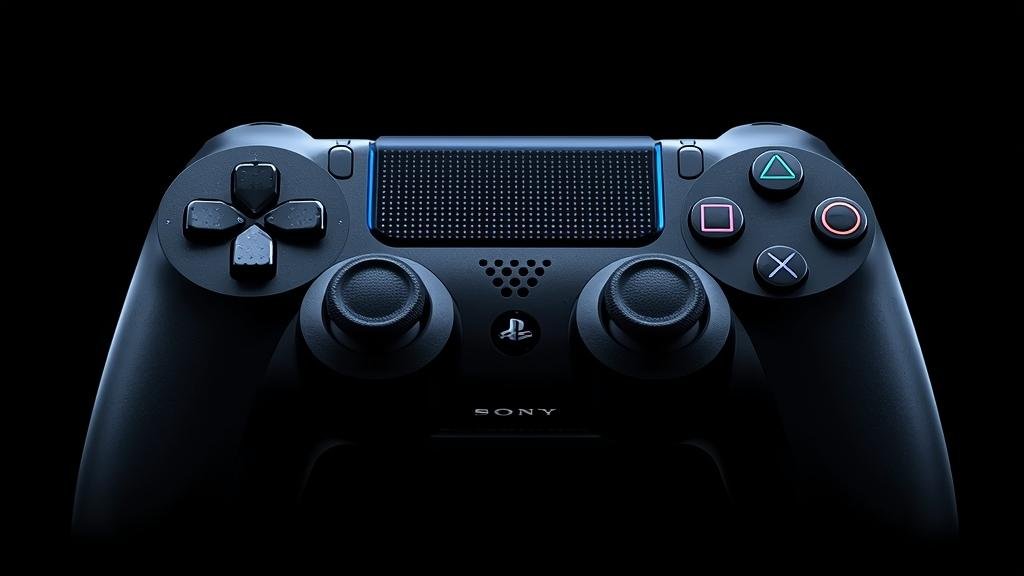
Compared to PS5, the changes are about headroom. PS5’s cooling and power budget set a high bar; PS6 reportedly aims to match or exceed performance while using less power at idle and producing less noise under load. The OS footprint is being trimmed, background tasks offloaded or throttled more aggressively, and background cloud compute used for non-critical workloads. Controller-side, expect lower latency Bluetooth stacks, better haptics, and tighter integration with AI features like content-aware suggestions and dynamic difficulty tuning.
What changed vs before:
-
- PS5 chased raw throughput; PS6 leans on AI acceleration and smarter scheduling to get more out of the same power budget.
-
- PS5’s launch thermals were acceptable but loud at peak; PS6’s cooling is engineered around sustained whisper-quiet operation.
Backward compatibility remains a cornerstone. The platform will run PS4 and PS5 titles with predictable boosts where the engine allows it. Storage transfers from PS5 should be seamless. Controller support is expected to carry forward, with next-gen features layered on top rather than replacing the basics. In short, your library and accessories remain safe while the ceiling rises.
On the software side, Sony is doubling down on AI. Expect system-level upscaling, smarter frame pacing, and content-aware resource allocation. This won’t replace developer tools; it will augment them. The goal is consistent performance across dynamic scenes without forcing every studio to hand-optimize for a dozen hardware states. For players, that means fewer dips, cleaner image quality, and less time fiddling with settings.
How to Use It (Step-by-Step)
Assuming the PS6 Console Leaks hold and Sony 2026 Hardware lands in a similar form factor, here’s how to get the most from day one without wasting time or money.
-
- Plan your storage upgrade early. Entry models often ship with modest NVMe capacity. Check the supported speed tier and buy a certified drive with headroom. Prioritize drives with good sustained write speeds, not just peak claims. If the console supports hardware decompression, enable it to reduce CPU overhead and shorten installs.
-
- Set your display for the sweet spot. If you have HDMI 2.1, enable VRR and 120Hz. Use system-level AI upscaling for 1440p displays. Lock HDR to a “Game” profile to reduce input lag. The goal is to let the console balance frames and fidelity without your TV adding latency.
-
- Configure power and noise targets. In system settings, choose “Quiet Mode” for living rooms or “Performance Mode” for competitive titles. The OS should adapt cooling curves automatically, but manual tuning helps if your room runs hot. Keep 10–15cm clearance around vents; avoid enclosed cabinets.
-
- Transfer your library the smart way. Use a direct LAN transfer from PS5 if possible—it’s faster than redownloading. If you’re on PS4, prioritize saves via cloud sync. After transfer, verify license status for any disc-based titles you plan to play without the disc if the platform supports digital entitlement upgrades.
-
- Update the controller and accessories first. Before diving into games, update the controller firmware and any headsets. This reduces pairing issues and unlocks low-latency modes. Re-map paddles or haptic intensity early so muscle memory sticks.
-
- Use AI features judiciously. Enable frame generation or AI upscaling for single-player titles. For competitive shooters, prefer raw frames and lower latency. Most games will offer per-title presets—use them instead of global overrides for best results.
-
- Lock down privacy and data. Turn off telemetry you don’t need and limit background sharing. If cloud offload is available for non-critical tasks, keep it optional. Review “Activity Sharing” and “Friend Suggestions” to avoid leaking play patterns.
-
- Test thermals with a baseline game. After setup, play a demanding title for 30 minutes and listen for ramp-up. If noise is high, adjust ventilation or move the console. Early firmware can sometimes overshoot fan curves; a patch usually fixes it.
Pro tip: wait two to four weeks post-launch for the first system update if you’re sensitive to noise. Early adopters often get the roughest fan curves. If you need to buy on day one, pair it with a good surge protector and consider a dust filter if your environment is hairy.
Compatibility, Availability, and Pricing (If Known)
Availability: Sony hasn’t announced a firm date. Based on supply chain trends and the cadence of PS6 Console Leaks, a 2026 window is plausible but not guaranteed. Regional rollout will likely follow PS5 patterns, with larger markets first and staggered drops elsewhere. Expect higher initial supply than PS5’s launch, but still limited for the first few months.
Pricing: No official numbers. The conservative bet is that Sony targets PS5-era pricing tiers at launch, adjusting for APU size and yields. If yields are good and cooling is efficient, we could see a stable MSRP at or near the PS5’s launch price. If yields are tight, expect a modest premium at retail until the second manufacturing revision lands. Bundles with extra storage or controllers will likely fill the gaps.
Compatibility: Backward compatibility is expected for PS4 and PS5. PS3 and earlier are trickier due to architecture; any support would likely be cloud-based or limited to select titles. Controller compatibility should carry forward, but next-gen haptics and low-latency modes will require new hardware. VR headsets and accessories will need firmware updates; some older peripherals may not be supported.
Region and feature parity: Some AI features may be region-gated due to compliance or cloud dependencies. HDMI 2.1 features (VRR, ALLM) will depend on your TV. If you’re upgrading your display to match the console, prioritize low input lag and solid VRR implementation over peak brightness alone.
Common Problems and Fixes
Symptom: Console runs loud even in quiet spaces.
Cause: Early firmware fan curve or restricted airflow.
Fix:
-
- Move the console to an open area with at least 10–15cm clearance on all sides.
-
- Install the first system update; it often refines fan behavior.
-
- Use “Quiet Mode” in settings and avoid stacking other heat sources nearby.
Symptom: Game installs or updates are slower than expected.
Cause: Background tasks, network congestion, or unsupported NVMe speed tier.
Fix:
-
- Pause any cloud sync or downloads and resume one at a time.
-
- Use a wired Ethernet connection; disable Wi-Fi if it’s unstable.
-
- Verify your NVMe drive meets the recommended speed tier; replace if it’s below spec.
Symptom: Frame pacing feels uneven despite high FPS.
Cause: Global AI upscaling or frame generation conflicting with game-specific settings.
Fix:
-
- Disable global AI features and enable per-game presets.
-
- Ensure your display’s VRR is active and refresh rate is correctly set.
-
- Update the game; many launch titles ship with unoptimized post-processing.
Symptom: Controller pairing drops or lags.
Cause: Outdated firmware or crowded Bluetooth environment.
Fix:
-
- Update controller firmware via system settings.
-
- Minimize interference: move USB 3.0 devices, routers, or dongles away from the console.
-
- Use the included USB-C cable for initial pairing, then switch to wireless.
Symptom: Certain PS4/PS5 titles fail to launch or show license errors.
Cause: License mismatch or missing entitlement after transfer.
Fix:
-
- Restore licenses in account settings.
-
- Ensure the disc is inserted if required, or verify digital entitlement on the account.
-
- Re-download saves from cloud if data integrity checks fail.
Security, Privacy, and Performance Notes
Security and privacy will be front and center. Expect stronger account protections, better 2FA options, and tighter control over data sharing. Sony is likely to expand cloud offload for non-latency tasks, which improves performance but means more data leaves the console. Review settings carefully: disable anything you don’t need and keep telemetry limited to what you’re comfortable sharing.
Performance tradeoffs are real. AI upscaling and frame generation can reduce GPU load and improve fluidity, but they can add a few milliseconds of latency. For fast-paced games, prefer raw frames and minimal post-processing. For cinematic titles, lean on AI features to stabilize image quality. The platform will give you options; use them per-game, not globally.
Best practices: keep firmware updated, use a surge protector, and avoid running the console in enclosed cabinets. If you store the console vertically, ensure the stand is secure and vents are unobstructed. For privacy, audit “Activity Sharing,” “Friend Suggestions,” and “Personalized Content” toggles regularly. If you’re security-conscious, enable 2FA with an authenticator app rather than SMS.
Final Take
The PS6 Console Leaks paint a picture of a smarter, quieter, and more efficient platform rather than a raw power play. If Sony sticks to this playbook, the Sony 2026 Hardware will feel like a meaningful step up without the launch chaos of previous generations. For most people, the right move is to wait for the first firmware update, secure a good NVMe drive, and tune settings for your display and room. The tech is promising; the execution will decide the day.
Want more practical breakdowns as details solidify? Keep an eye on our coverage here and on Tech Arrange for hands-on guides the moment the platform is official.
FAQs
Is a 2026 launch confirmed?
No. Sony hasn’t announced a date. Based on current PS6 Console Leaks and industry roadmaps, 2026 is plausible, but it could slip depending on yields and market conditions.
Will my PS5 games work on PS6?
Expect full backward compatibility for PS4 and PS5 titles. Some older generations may be limited to cloud streaming or select re-releases. Controller features may vary by game.
Do I need a new TV to get the most out of it?
Not strictly, but an HDMI 2.1 display with VRR and 120Hz will unlock the best experience. If you’re on a 1440p monitor, system-level AI upscaling should help image quality.
Should I buy at launch or wait?
If you’re noise-sensitive or want stable pricing, wait six to eight weeks for the first system update and potential bundles. Early adopters should prioritize ventilation and update immediately.
What about VR and accessories?
Expect firmware updates for existing headsets and peripherals. Not everything will be supported on day one, and next-gen controller features will require new hardware.