
Drones are Everywhere: Amazon’s 30-Min Delivery
The logistics war just went vertical. Amazon is scaling its aerial fleet, pushing delivery windows down to 30 minutes in more neighborhoods. This isn’t a pilot program anymore; it’s infrastructure.
For consumers, speed is the headline. For competitors, it’s a signal that the sky is no longer just for airlines and weather balloons. The tech stack is maturing faster than most regulators can track.
Quick takeaways
-
- 30-minute delivery is expanding beyond test zones.
-
- Regulatory approvals are the main bottleneck, not hardware.
-
- Expect noise complaints and airspace congestion.
-
- Prime membership likely required for access.
-
- Payload limits are strict (under 5 lbs typically).
What’s New and Why It Matters
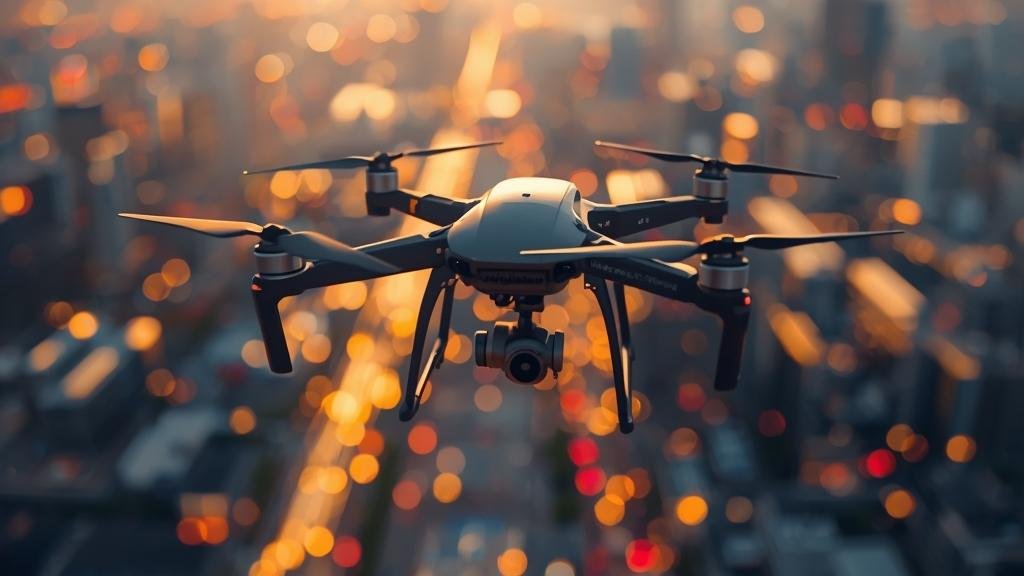
Amazon’s logistics network is undergoing a vertical integration shift. We are seeing the widespread deployment of the MK30 drone, designed to fly farther, quieter, and in light rain. The goal is simple: compress the “last mile” from a 2-hour truck ride to a 30-minute flight. This shift changes how we think about inventory. Why keep a full set of household items when a drone can bring a specific cable or battery in under an hour?
The core of this expansion is Autonomous Drone Delivery. It relies on computer vision and detect-and-avoid algorithms that have finally reached a reliability tier acceptable to aviation authorities. While Amazon Prime Air 2026 looks like a marketing term, it represents a specific operational milestone: consistent, autonomous operations without human pilots watching every single flight. This matters because it unlocks scale. Without autonomy, drone delivery is a novelty; with it, it’s a logistics beast.
Why care now? Because the delivery fee structure is changing. If Amazon can drop a package from the sky in 30 minutes for a cost of pennies in electricity, they can undercut Uber Eats and DoorDash on speed and price for small items. It forces every local delivery service to upgrade their tech or die. It also changes consumer expectations. “Next day” will feel slow.
There is also a hardware angle. The MK30 uses carbon fiber propellers and a folded design that fits in a delivery van’s cargo bay. This hybrid approach—van-to-hub, hub-to-sky—is the operational model. It solves the range problem. Drones don’t launch from a warehouse 50 miles away; they launch from a van parked in your neighborhood. That proximity is the key to the 30-minute promise.
Finally, the noise profile. Early drones sounded like angry lawnmowers. The new generation uses acoustic shaping on the rotors. It’s not silent, but it blends into city noise. Without this improvement, city councils would ban them on noise ordinances alone. The tech finally matches the political reality.
Key Details (Specs, Features, Changes)
The hardware specs for the MK30 are optimized for range and safety, not raw speed. It cruises at roughly 50 mph, giving it a 10-mile effective radius from a launch hub. It carries a payload of up to 5 pounds. That covers the vast majority of Amazon orders—batteries, toothpaste, chargers, small clothes—but not groceries or furniture. The thermal battery system keeps temperature-sensitive items stable during flight.
What changed vs before?
Previously, Amazon relied on the MK27, a drone that required a dedicated launch pad and clear weather. The MK30 is weather-resistant. It can fly in light rain and wind speeds up to 25 mph. This is a massive operational upgrade. A rainy day used to ground the fleet; now, it’s business as usual. The detect-and-avoid system also moved from Lidar-heavy reliance to optical and radar fusion. This reduces weight and cost while improving the ability to spot wires and branches.
Operationally, the “drop” mechanism has changed. Early versions lowered the package on a string. The MK30 uses a trapdoor release. It hovers at 20 feet and drops the package in a specialized box (or on a doormat if the user opts in). This reduces airtime over the customer’s property, lowering noise and risk. The transition from “hover and lower” to “drop and go” cuts delivery time by roughly 45 seconds per stop. Across thousands of flights, that adds up to massive throughput increases.
The software stack is the real differentiator. The flight planning AI now handles dynamic rerouting. If a temporary flight restriction (TFR) pops up, the fleet reroutes instantly. Before, flights were paused pending human review. Now, the system calculates a new path in milliseconds. This autonomy is what allows Amazon to claim Autonomous Drone Delivery as a reality rather than a concept. The integration with Amazon Prime Air 2026 infrastructure means the drones communicate with each other to avoid mid-air collisions without a central controller.
From a user perspective, the interface is integrated into the standard Amazon app. You don’t need a separate drone app. You see the drone icon moving on the map, just like an Uber. You get a notification 5 minutes out. This seamless integration hides the complexity. It feels like magic, but it’s just good UI layered on top of heavy backend logistics.
How to Use It (Step-by-Step)
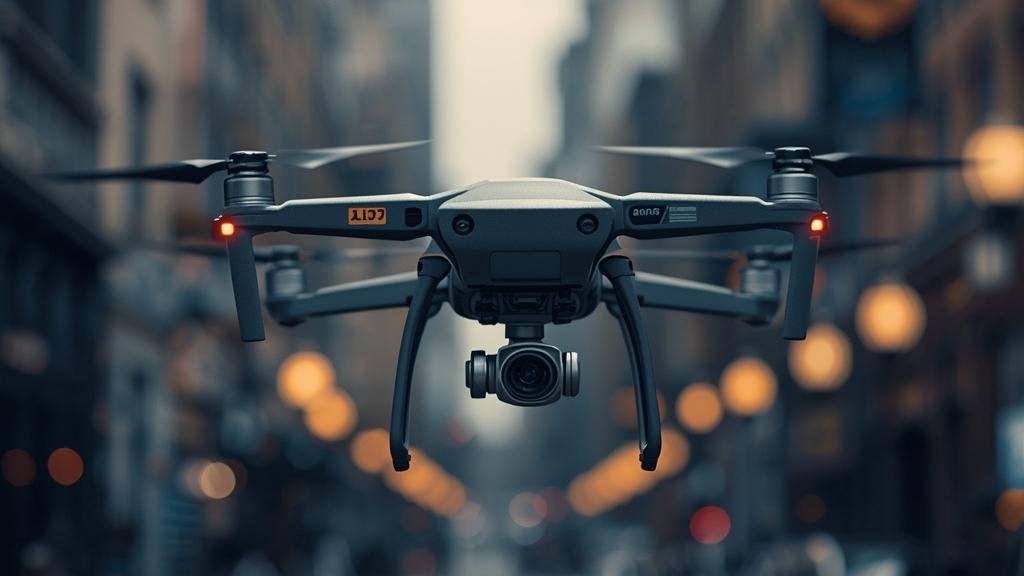
Using the service is straightforward, but there are nuances to getting the fastest service and ensuring a safe drop. Here is the workflow for a standard order.
-
- Check Availability: Open the Amazon app. Look for the “Air Delivery” icon next to the item. It’s currently limited to specific ZIP codes and items marked “Prime Air Eligible.” If you don’t see it, the item is either too heavy, too large, or outside the launch hub radius.
-
- Set Your Landing Zone: In the app settings, define your landing zone. This is usually your driveway or backyard patio. You can upload a photo of the spot. The drone’s computer vision uses this to identify the target. Accurate photos result in faster drops.
-
- Order and Watch: Place the order. The app will switch to a tracking map. You will see the drone leave the hub. If you ordered a battery or a charger, expect the 30-minute window. If you ordered during peak rush hour (dinner time), add a few minutes for air traffic.
-
- Prepare for Arrival: You will get a push notification when the drone is 2 minutes away. Do not go outside yet. The drone needs a clear airspace. Keep pets and children inside. The drone will scan the area to ensure it’s safe to descend.
-
- The Drop: The drone hovers at 20–80 feet. It releases the package. You will hear a distinct “clunk” as the trapdoor opens. The package lands. The drone immediately ascends and returns to the hub. Do not attempt to touch the drone or the package while it is in the air.
-
- Post-Delivery: The app confirms delivery with a photo of the package on the ground. You can rate the flight smoothness. This data feeds back into the routing AI.
Pro Tips for Power Users:
-
- Consolidate small items: The drone carries 5 lbs. You can order a charger, cables, and a case in one order. Don’t order them separately.
-
- Weather Watch: While the MK30 handles light rain, heavy storms will ground the fleet. Check the weather radar in the app; it shows real-time flight restrictions.
-
- Clear the Zone: If your landing zone has a car parked on it, the drone will abort. Move your car 10 minutes before arrival to guarantee the drop.
The system is designed to be hands-off. You don’t track the drone like a pilot; you track it like a package. The distinction is that the package is moving at 50 mph through the air. If you live in an apartment building, this service is likely not for you yet. It requires ground access. However, if you have a backyard or a driveway, you are the ideal customer for Autonomous Drone Delivery. The integration with Amazon Prime Air 2026 logistics means that even if you live in a dense suburb, the drone is likely launching from a van parked less than 2 miles away, ensuring that 30-minute promise holds true.
Compatibility, Availability, and Pricing (If Known)
Compatibility: The service requires the latest version of the Amazon Shopping app (iOS or Android). It requires a stable internet connection to view the live map. Hardware-wise, you need a clear landing zone. The drone cannot land on tall grass, gravel, or slopes greater than 10 degrees. It requires a flat, visible surface. No specific phone hardware is required beyond standard GPS capabilities.
Availability: As of early 2026, the rollout is aggressive but segmented. Major metro areas in the US (Phoenix, Dallas, Lockeford) are fully active. Expansion is happening in the UK and parts of Italy. Availability is hyper-local. It depends on the placement of “Launch Hubs” (modified delivery vans or fixed micro-fulfillment centers). If you are in a rural area, expect a wait of 1–2 years. If you are in a dense city center, availability depends on local aviation laws. Some cities have banned low-altitude flights entirely.
Pricing: Currently, the cost is bundled into Prime. There is no separate “drone fee” for Prime members. However, there is a minimum order value (usually around $5 or $10) to justify the dispatch. Non-Prime members cannot access the service. Amazon has hinted at a tiered pricing model for heavier items or faster windows (e.g., “15-minute rush” for an extra fee), but that has not been formally announced for the 2026 rollout.
Regulatory Constraints: You cannot request a drone delivery to a friend’s house across town. The delivery address must be your verified Prime address. The system strictly enforces geofencing. If you try to order to a park or a workplace, the option simply won’t appear. This is a safety compliance measure to avoid flying over crowds.
Common Problems and Fixes
Symptom: The app says “Airspace Congested – Delayed.”
-
- Cause: Too many drones are active in your sector, or a commercial flight is passing overhead.
-
- Fix: Wait 5–10 minutes. The AI will clear the queue. If the delay exceeds 30 minutes, Amazon usually cancels the drone dispatch and switches to a ground van to ensure the item arrives. You get a notification of the switch.
Symptom: Drone hovers but doesn’t drop, then returns to hub.
-
- Cause: The computer vision system could not confirm the safety of the landing zone. Likely obstruction: a pet, a person, a toy, or a car.
-
- Fix: Check your landing zone. Clear any debris. Update the landing zone photo in the app. If this happens twice in a row, support will flag your address and require a manual verification before allowing more drone drops.
Symptom: The package is damaged upon arrival (specifically crushed corners).
-
- Cause: The drop height might have been too high, or the package was too light (under 1 lb) and drifted in the wind upon release.
-
- Fix: Report it immediately via the app. Amazon’s drone return protocol captures flight telemetry. If the drop physics were off, they will refund you and tweak the drop algorithm for your specific location. Do not return the item to a UPS store; drone returns are handled by the hub directly.
Symptom: “Weather Hold” status stays stuck for hours.
-
- Cause: The drone detects high humidity or crosswinds exceeding the threshold, but the surrounding weather looks fine to the human eye.
-
- Fix: You cannot override this. It is a safety lock. However, you can “unlock” the order by modifying the delivery preference to “Ground Delivery” to get it sooner, or simply wait for the weather window to pass (usually 30-60 minutes after a gust front passes).
Security, Privacy, and Performance Notes
Privacy: The MK30 cameras are strictly for navigation and obstacle avoidance. Amazon states they do not record video of customer properties for data mining. The cameras are low-resolution and used for edge detection (identifying edges of roofs, driveways). However, the delivery photo taken from the sky does capture your property. This photo is stored in your order history. If you are privacy-conscious, ensure your landing zone is away from windows.
Security: Porch piracy is theoretically eliminated. The drone drops the package directly to you or a designated secure zone. However, there is a new risk: “Sky Snatching.” While rare, there have been reports of people attempting to knock the drone down with long poles or nets in rural areas. Amazon has implemented a “return to hub” protocol if the drone detects an aggressive approach. If you live in an area with high theft, the drone service is actually more secure than a van drop.
Performance Tradeoffs: The battery life is the limiting factor. A drone uses a significant amount of energy to hover and drop. This means the fleet is most active during daylight hours. Night deliveries are technically possible but currently limited due to stricter FAA/aviation authority curfews in most regions. Do not expect a midnight battery delivery yet.
Data Usage: The live tracking map consumes data. If you are on a limited mobile plan, keep the tracking map closed until the drone is 5 minutes out. The app uses a predictive model to update the map, which is efficient, but continuous GPS tracking does drain battery and data over time.
Final Take
Amazon’s push for 30-minute delivery via Autonomous Drone Delivery is the most significant shift in logistics since the shipping container. It isn’t just about speed; it’s about decoupling delivery from road traffic. While the hardware is impressive, the regulatory and social acceptance is the true test. Noise complaints and privacy concerns will likely trigger the next wave of restrictions.
For the average user, it’s a game-changer for forgotten items and emergencies. For the tech enthusiast, it’s a glimpse into a fully autonomous future. The success of Amazon Prime Air 2026 will depend on how well Amazon manages the sky. We are entering an era where the airspace above our homes becomes a logistics corridor. Treat it with caution, but enjoy the speed.
FAQs
1. Can I order hot food via drone?
No. The drones are not temperature-controlled for heat. They can handle ambient temperature items like electronics, medicine, and dry goods. Hot food requires a different delivery infrastructure that Amazon has not yet deployed for Prime Air.
2. What happens if the drone crashes?
The MK30 has triple-redundant systems. If a motor fails, the drone can autorotate to a safe landing or return to hub using remaining motors. In the rare event of a crash, Amazon has a dedicated response team to secure the drone debris and compensate any property damage immediately.
3. Do I need to sign for the package?
No. The delivery is contactless. The drone drops the package and leaves. The app notification serves as the confirmation. You do not need to interact with the drone pilot (who doesn’t exist) or sign a screen.
4. Can the drone fly over my neighbor’s house?
Yes, but only to reach your landing zone. The flight path is programmed to minimize overflight of other properties. However, if your house is behind a neighbor’s, the drone may briefly cross their airspace at altitude to reach you. This is covered under aviation regulations.
5. Is the service safe during a thunderstorm?
Absolutely not. The drones ground themselves well before a storm hits. They detect changes in air pressure and wind shear. If you see lightning, the drones are already parked. Do not attempt to force a delivery during bad weather.