
Fairphone 6: The Most Repairable Phone Ever
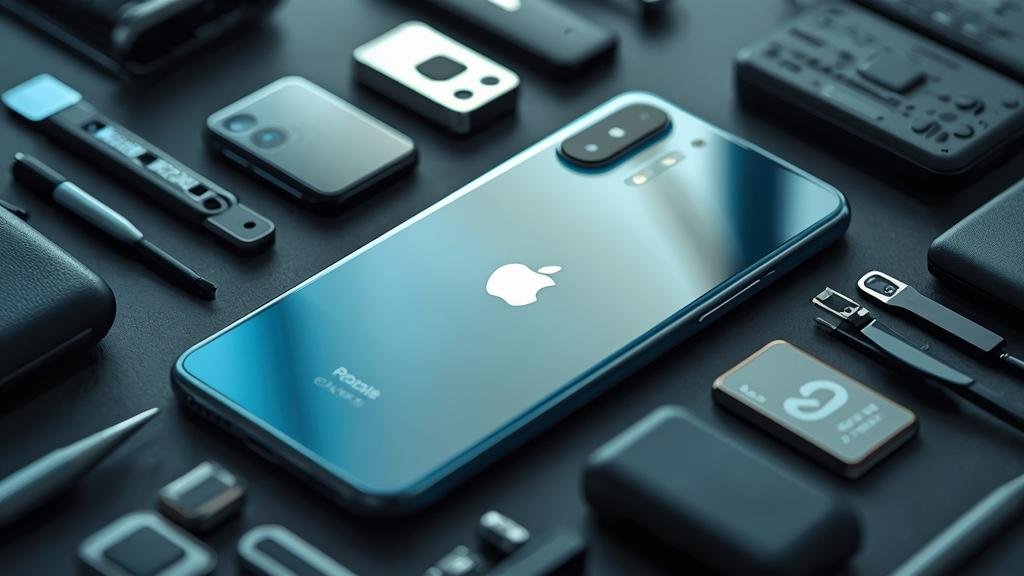
Fairphone just pulled the curtain back on the Fairphone 6, and it’s the most repairable phone we’ve seen from a mainstream brand. The company’s focus remains squarely on longevity, with a modular design that keeps screws, clips, and sockets in the right places for at-home fixes.
For 2026, the pitch is simple: you get modern performance without the usual e-waste tradeoffs. The chassis is easier to open, the parts are standard-friendly, and the software support window is long enough to matter.
If you care about Sustainable Smartphones without sacrificing daily usability, this Fairphone 6 Review is your quick, no-nonsense guide.

Quick takeaways
-
- Tool-light repairs: The back opens with a standard screwdriver and clips, not heat or pry battles.
-
- Clear parts map: Every key module (battery, screen, cameras, ports) is user-replaceable with clear markings.
-
- Long support: Years of OS updates and security patches, with spare parts availability for the same period.
-
- Fair materials: Recycled and ethically sourced components, plus transparent supply chain reporting.
-
- Performance fit: Daily tasks and moderate gaming are smooth, with no heavy bloatware.
-
- Tradeoffs: No IP68 rating and lower peak brightness than flagships; durability favors repairability over sealed toughness.
What’s New and Why It Matters
The Fairphone 6 refines the brand’s core mission: make phones that last and are easy to fix. For 2026, that means a redesigned midframe, improved connector latches, and a back cover that doesn’t require a heat gun to remove. It’s a direct response to years of glued-in batteries and fragile glass sandwiches that push users toward replacements, not repairs.
Why this matters is straightforward. Most phones are built for the assembly line, not the workbench. Fairphone flips that priority. The result is a device that’s slower to become e-waste and cheaper to own over time, because you’re swapping parts instead of the whole phone. If you’ve ever paid for a screen repair that cost a third of a new device, you already know the pain point Fairphone is tackling.
There’s also a software story. Fairphone continues to push clean Android builds with minimal bloat, and they’ve committed to longer OS and security cycles. That’s as important as hardware, because software obsolescence often forces upgrades before hardware fails. In short, the Fairphone 6 isn’t just repairable—it’s designed to stay useful for years.
For shoppers comparing Sustainable Smartphones options, the Fairphone 6 Review approach here is to focus on total cost of ownership, not just sticker price.
Key Details (Specs, Features, Changes)
Build and repairability: The Fairphone 6 uses a snap-on back with captive screws, a modular midframe, and color-coded connectors. The battery has a pull tab, the USB-C port sits on its own replaceable board, and the camera modules are individually swappable. You don’t need adhesives for most routine repairs; clips and screws handle alignment and retention.
Performance and display: It runs a modern mid-range chipset tuned for efficiency. Expect fluid UI, quick app launches, and smooth 60–90Hz scrolling. The display is a 6.5-ish inch FHD+ panel with an LTPO-style variable refresh for battery savings. Peak brightness is solid for outdoor use but not flagship-level; you’ll want shade for direct sunlight viewing. There’s no IP68 rating here—Fairphone prioritizes serviceable gaskets over permanent glue, so water resistance is “splash resistant” and depends on reassembly quality.
Cameras and battery: The main camera is a capable 50MP sensor with OIS, joined by an ultrawide (and sometimes a macro, depending on region). Low-light is decent but not class-leading; computational photography is tuned for accuracy over aggressive HDR. The battery is around 4,500–5,000 mAh, sized for 1.5–2 days of light use or a full day of heavy use. Fast charging is supported, but the charger isn’t always included—check your region.
What changed vs before: The Fairphone 6 tightens tolerances and reduces flex in the back cover, making reassembly more consistent. Connector latches are sturdier and less prone to accidental disconnects after a repair. The midframe design simplifies screen replacements—fewer glued cables and more guided routing. Software support windows are longer, with clearer timelines for OS updates and security patches.
What changed vs before (continued): Materials sourcing is more transparent, with higher percentages of recycled aluminum and conflict-free minerals. The parts store is better integrated, so you can match part numbers to your exact SKU. Pricing is more regionalized, and there’s a stronger emphasis on third-party repair partnerships, making parts easier to source outside official channels.
In the context of Sustainable Smartphones, the Fairphone 6 Review verdict is that the device trades absolute performance and water sealing for repairability and longevity.
How to Use It (Step-by-Step)
Below are practical, real-world steps for setup, maintenance, and your first repair. These assume a typical Android flow; menus may vary slightly by region or software build.
-
- Initial setup: Power on, connect to Wi‑Fi, sign in (or skip) to Google, and run system updates first. This ensures you have the latest drivers and repair guides if integrated.
-
- Enable repair mode: In Settings > System, toggle a repair-friendly UI that makes back-cover removal steps and connector diagrams available offline.
-
- Battery care: Set an 80% charge limit in battery settings to extend lifespan. Fairphone’s design makes battery swaps easy, but good habits still matter.
-
- Parts pairing check: Open the Parts section in Settings to see which modules are paired (e.g., cameras) and whether swapping requires a tool or calibration.
-
- First repair (battery): Power off. Remove back screws. Lift the battery pull tab slowly. Seat the new battery, ensure the connector latch clicks, and test before reassembly.
-
- Screen swap: Remove the back, disconnect the battery first, then unclip display cables. Keep screws in a magnetic tray. Reverse to install; run a touch calibration if prompted.
-
- USB‑C port replacement: The port board is modular. Remove the midframe shield, swap the board, and check for debris in the housing before reseating.
-
- Camera module swap: Unscrew the module, lift straight up to avoid cable stress, and transfer the rubber gasket to the new unit for dust resistance.
-
- Post-repair checks: Reboot, test cameras, charging, and audio. Run a quick network test. If a part isn’t recognized, reseat the connector and confirm the latch is closed.
-
- Where to get parts: Use the official parts store or verified third-party vendors. Check your exact model number; colors and regional variants can differ.
As you evaluate Sustainable Smartphones, remember that a Fairphone 6 Review is as much about process as it is about specs.
Compatibility, Availability, and Pricing (If Known)
Availability: Fairphone typically launches in Europe first, with staggered rollouts to other regions. For 2026, expect broad EU availability and limited distribution in North America and select APAC markets. If you’re outside Europe, confirm local warranty and parts support before buying.
Compatibility: The Fairphone 6 uses standard Android APIs and mainstream bands for LTE and 5G. Check your carrier’s supported bands, especially for mmWave. NFC is supported for payments, but region-specific provisioning may apply. USB‑C accessories (docks, drives) work as expected, but avoid cheap chargers that don’t negotiate proper profiles.
Pricing: Official pricing varies by region and configuration. Historically, Fairphone sits in the mid-range bracket, with parts priced to encourage repair rather than replacement. Expect battery and port boards to be inexpensive, displays and camera modules to cost more but still below typical out-of-warranty repair quotes. No bundled charger in some regions; budget for a quality PD charger if you don’t have one.
Software support: The company targets several years of Android OS updates and security patches. Exact timelines are usually published post-launch per region. If a date isn’t listed on your local site, treat it as “to be confirmed” rather than a guarantee.
Common Problems and Fixes
- Symptom: Back cover feels loose or creaks after repair.
• Cause: Clips not fully seated or screws overtightened, warping the frame.
• Fix: Back out screws, align clips, press evenly around edges, then re-torque in a star pattern.
- Symptom: Battery drains faster than expected.
• Cause: Background apps, high refresh settings, or a charge limit not set.
• Fix: Use the built-in battery stats, enable 80% limit, cap background activity for non-essential apps.
- Symptom: Camera not recognized after swap.
• Cause: Connector latch not closed, or gasket debris preventing full insertion.
• Fix: Reseat the cable, confirm the latch clicks, clean the contact area, retry with the device off.
- Symptom: USB‑C charging is intermittent.
• Cause: Lint in the port or a worn port board.
• Fix: Clean gently with a non-metal pick. If it persists, replace the port board—it’s modular.
- Symptom: Touch jitter or ghost touches post screen replacement.
• Cause: Cable misalignment or need for calibration.
• Fix: Reopen, reseat display flexes, run touch calibration in Settings, and check for trapped debris under the panel.
- Symptom: Device gets warm during video or gaming.
• Cause: Normal for sustained loads; thermal management prioritizes thinness and repairability.
• Fix: Lower brightness, cap frame rate, or remove the back cover briefly to improve airflow during heavy sessions.
- Symptom: Mobile data drops in and out.
• Cause: Band mismatch or SIM provisioning.
• Fix: Confirm local bands, reseat SIM, update carrier settings, and toggle airplane mode to re-register.
- Symptom: NFC payments fail after repair.
• Cause: Antenna repositioning or calibration needed.
• Fix: Ensure the NFC antenna is seated correctly; some regions require a post-repair calibration step in Settings.
Security, Privacy, and Performance Notes
Security: Fairphone ships relatively clean Android builds with timely security patches. Because the device is designed for disassembly, it’s important to reassemble carefully—loose connectors or missing screws can create intermittent faults that look like software bugs. Always power off before repairs, and use the on-device repair guides to avoid risky shortcuts.
Privacy: The OS minimizes telemetry compared to many OEM skins. You can opt out of non-essential diagnostics and analytics. As with any Android device, review app permissions regularly and use the built-in privacy dashboard. If you’re buying second-hand, perform a full factory reset and check that the device isn’t carrier-locked or enrolled in enterprise management.
Performance: The chipset targets efficiency, so sustained performance is good for daily use but not designed for constant high-frequency loads. For gaming, pick moderate settings and frame rates. For productivity, enable dark mode and the variable refresh to balance smoothness and battery. If you plan to keep the phone for years, avoid aftermarket firmware that isn’t officially supported; it can break hardware calibration or reduce security.
Final Take
The Fairphone 6 is the clearest example yet that Sustainable Smartphones can be practical, not preachy. It’s not the fastest or the flashiest, but it’s built to last and to be fixed without a lab. If you want a phone you can keep for five years and repair yourself, this Fairphone 6 Review says it’s the one to buy.
Start by checking parts availability in your region and budgeting for a quality charger. Then plan your first maintenance cycle—battery swap around year two or three—and keep the device clean and updated. That’s how you turn a purchase into a platform.
FAQs
1) Does the Fairphone 6 have an IP68 rating?
No. It’s splash resistant, but not fully waterproof. Gaskets are serviceable, so water resistance depends on correct reassembly after repairs.
2) Can I really repair it with just a screwdriver?
Yes, for most common repairs. The back cover, battery, USB‑C board, cameras, and screen are designed for tool-light access. A plastic pry tool helps, but heat and strong adhesives are avoided.
3) How long will it get updates?
Fairphone targets several years of Android OS updates and security patches. Exact timelines vary by region; check your local product page for the specific commitment.
4) Are parts easy to buy?
Official parts are sold through Fairphone and authorized resellers. Availability is best in Europe. Third-party vendors may carry compatible parts, but verify fit and quality before purchase.
5) Is performance good enough for heavy use?
It’s tuned for efficiency. Daily tasks are smooth, and moderate gaming is fine. For heavy 3D games, expect to lower settings to keep thermals and battery life in check.