
What Galaxy AI Actually Is (And What It Isn’t)
Galaxy AI represents Samsung’s integration of on-device and cloud-based artificial intelligence capabilities across its mobile ecosystem. First introduced with the Galaxy S24 series in January 2024, the system combines Samsung’s proprietary models with Google’s Gemini AI technology to deliver context-sensitive functions for communication, productivity, photography, and task automation.[230][233]
Samsung explicitly distinguishes Galaxy AI from Bixby, its voice assistant: “Bixby is like a personal assistant ready to respond to your verbal commands, while Galaxy AI is like a smart companion that’s always working to make your device smarter and your life easier.”[230] This positioning clarifies Galaxy AI’s role as ambient intelligence rather than a conversational agent requiring explicit activation for every task.
Important Note: Galaxy AI features operate through a hybrid architecture. Small AI models run locally on the device’s neural processing unit (NPU) for speed and privacy, while complex tasks requiring larger language models execute on Google Cloud’s Vertex AI platform and require an internet connection.[233][244] Users can toggle a setting to restrict processing to on-device only, though this disables cloud-dependent features and may reduce result quality for certain tools.[245]
Cross App Actions: Voice Commands That Actually Save Steps
What the feature does
Cross App Actions, introduced with the Galaxy S25 series, executes multi-step tasks across different applications using a single voice command or typed instruction. The system routes requests through Google Gemini, which interprets intent, gathers necessary information, and performs actions within Samsung’s native apps, Google services, and select third-party applications.[232]
The feature distinguishes itself from traditional voice assistants by handling complete workflows rather than isolated commands. Instead of requiring users to manually search for restaurants, copy addresses, open messaging apps, and paste information, Cross App Actions completes the entire sequence from one natural-language request.[232][261]
Practical use cases tested by users
| Voice Command Example | What Happens Behind the Scenes | Apps Involved | Time Saved vs Manual Process |
|---|---|---|---|
| “Find a vegan pet-friendly restaurant nearby and text it to Luca”[232] | Performs location search, filters for dietary/pet requirements, and creates a message with results | Google Search, Samsung Messages (or WhatsApp) | ~45-60 seconds (eliminates app switching, copy/paste) |
| “List places mentioned in this video and save as a note”[255] | Analyzes video transcript, extracts location references, and creates a formatted note | YouTube, Samsung Notes | ~2-3 minutes (eliminates manual pause/type cycle) |
| “Find the next five Blue Stars FC games and put them in the calendar”[255] | Searches game schedule, identifies dates/times/venues, creates calendar events | Google Search, Samsung Calendar | ~3-4 minutes (eliminates search, copy, calendar entry per game) |
| “Summarize this YouTube video and save to Samsung Notes”[253] | Processes video content, generates a summary, and saves to the Notes app | YouTube, Samsung Notes, Gemini | ~5-10 minutes (eliminates manual note-taking while watching) |
How to activate and limitations
Users activate Cross App Actions by long-pressing the device’s side button to summon Google Gemini, then speaking or typing the request in natural language.[258] The system works best with straightforward, action-oriented commands rather than exploratory questions.
At launch, Samsung confirmed support for its own apps (Phone, Messages, Calendar, Notes), Google’s suite (Search, Maps, Meet), and third-party apps including Spotify and WhatsApp.[232][244] The feature intelligently routes tasks: search-heavy requests leverage Google’s models, while actions involving Samsung’s proprietary apps use Samsung’s processing.[232]
Quick Tip: Cross App Actions performs best with specific requests rather than open-ended queries. “Find three Italian restaurants with outdoor seating and text them to Maria” works reliably; “What’s a good place to eat?” triggers a standard search rather than automated action.
Now Brief and Now Bar: Context-Aware Daily Intelligence
Now Brief: Your day at a glance
Now Brief delivers personalized briefings that adapt to time of day, user habits, and connected device data. The feature aggregates information from Samsung’s core apps and select third-party services to present relevant updates without requiring users to check multiple applications.[250][252]
Morning briefings typically display sleep quality metrics (if paired with Galaxy Watch 7 or later), current weather conditions, calendar appointments for the day, and curated news highlights.[250][252] As the day progresses, Now Brief shifts focus: commute times, surface traffic reports, and suggest departure windows based on calendar appointments, while evening summaries present activity statistics like step counts and suggest relaxing music or podcasts.[250][252]
The system learns patterns over time. If a user consistently stops at a coffee shop before work, Now Brief begins suggesting nearby options during morning commute windows. If calendar events frequently include specific colleagues, the system prioritizes notifications related to those individuals.[252]
Now Bar: Lock screen intelligence
Now, Bar occupies a dedicated area on the Galaxy S25 series lock screen, displaying live activities and time-sensitive information without requiring device unlock. The interface shows currently playing music with playback controls, active timers, sports scores for followed teams, and upcoming calendar events pulled from Now Brief’s analysis.[242][257]
Users can tap the Now Bar element to expand details or access related apps directly. The feature operates similarly to Apple’s Dynamic Island concept but relies on Galaxy AI’s understanding of user priorities rather than simply mirroring notification content.[242]
Set up requirements and app compatibility.
Enabling Now Brief requires navigating to Settings > Galaxy AI > Now Brief, then selecting content categories to include in briefings. Users customize which data sources feed the system by tapping the gear icon and toggling individual apps.[250][266]
Current limitations center on app ecosystem dependencies. Now Brief works comprehensively with Samsung’s native applications (Calendar, Health, Reminders, Notes) and selectively with third-party services—YouTube integration is confirmed, but users relying primarily on Google Calendar, Todoist, or other non-Samsung productivity tools may find briefings less comprehensive.[252] Some apps require opening at least once on the device before they appear as selectable data sources in Now Brief settings.[252]
Circle to Search: Visual Search Without App Switching
How the Google partnership works
Circle to Search, developed through Samsung’s collaboration with Google, enables visual search for any on-screen content without exiting the current application. The feature processes images, video frames, and text using gesture-based selection methods—users can circle, highlight, scribble over, or tap objects to trigger search queries.[251][254]
The system handles both simple identification tasks (finding product names, identifying landmarks) and complex conceptual queries. When users encounter unfamiliar items in social media videos, they can circle objects to surface shopping options from retailers across the web. For informational queries, Circle to Search supports multisearch functionality, allowing simultaneous text and image inputs—for example, circling a food item and asking “Why are these so popular?” generates context-rich explanations pulled from multiple web sources.[251]
Activation methods and practical applications
On devices using three-button navigation, users long-press the home button to activate Circle to Search. For gesture navigation mode, the activation method involves pressing and holding the bottom navigation bar.[254][256] Once active, the interface overlays the current screen with a light processing layer, and users select content through natural gestures.
The Galaxy S25 series introduced “hover and explain,” which provides instant contextual information without fully activating search. Users hover over text, interface elements, or images to receive definitions, action suggestions, or relevant details—particularly useful for technical terms, product specifications, or unfamiliar concepts encountered while reading articles or browsing documentation.[261]
Circle to Search requires an active internet connection and functions across all applications that permit screen capture.[254] The feature supports real-time translation through a dedicated “Scroll and Translate” mode: users select the translation language pair, tap the Scroll and Translate button, and the system automatically translates new text as they scroll through long webpages or documents—eliminating the need to manually translate each screen section.[256]
Live Translate: Breaking Language Barriers in Real-Time
Phone call translation mechanics
Live Translate provides bidirectional voice and text translation during phone calls, processing conversations entirely on-device after users download required language packs. The feature currently supports 20 languages with regional variations, expanding from the initial 13-language launch: Arabic, Chinese (China/Hong Kong/Taiwan variants), Dutch, English (US/UK/Australia/India), French (France/Canada), German, Hindi, Indonesian, Italian, Japanese, Korean, Polish, Portuguese (Brazil/Portugal), Romanian, Russian, Spanish (Spain/Mexico/US), Swedish, Thai, Turkish, and Vietnamese.[273]
When activated during a call, both parties hear a brief announcement in their respective languages explaining that translation is active. The system then listens to either speaker, translates their speech, and plays back the translation while simultaneously displaying transcribed text on screen. Users with visual impairments can navigate these on-screen transcriptions using screen readers, making the feature accessible beyond its core translation function.[270]
Set up the process and supported apps.s
Initial configuration requires opening the Phone app, tapping More options (three dots), selecting Settings, then LiveTranslate. Users toggle the feature on, select their primary language and the language spoken by the person they’re calling, choose voice characteristics for translated speech (male/female), and adjust speech rate for clarity.[279][282]
Advanced settings include mute options: users can silence their actual voice so the other party only hears the translated version, creating a cleaner audio experience that reduces confusion from hearing two simultaneous voice streams.[279][282]
Beyond Samsung’s native Phone app, Live Translate now functions within voice calling features of third-party applications, including WhatsApp, Google Meet, Signal, WeChat, KakaoTalk, Facebook Messenger, Instagram, LINE, and Telegram.[282] Activation in these apps follows a different pattern: users place or receive a call within the third-party app, swipe down to open the Quick Settings panel, then tap the LiveTranslate button.[282]
Real-world performance considerations
Live Translate operates completely offline once language packs are downloaded—a critical advantage for travelers in areas with limited connectivity or users concerned about data privacy.[270] Translation quality and accuracy vary with each interaction due to factors including accent recognition, speech clarity, background noise, and the complexity of vocabulary used.[282]
The feature works most reliably for straightforward transactional conversations (making restaurant reservations, asking directions, scheduling appointments) compared to nuanced discussions involving idioms, cultural references, or technical jargon. Samsung does not guarantee perfect translations, and the system occasionally requires speakers to rephrase sentences for better recognition.[270][282]
Note Assist: Transforming Written Content
Four core functions explain.d
Note Assist integrates directly into Samsung Notes, providing four primary AI-powered transformations accessible through a three-star icon that appears above the keyboard when text is selected.[275][281]
Auto Format analyzes unstructured notes and restructures them into organized layouts with appropriate headers, bullet points, and hierarchical sections. Users who quickly jot down ideas during meetings or brainstorming sessions can later apply Auto Format to convert stream-of-consciousness text into presentable documents.[275]
Summarize condenses lengthy notes into key points, though Samsung imposes a minimum threshold of 200 characters—shorter notes don’t contain sufficient content for meaningful summarization.[275][281] The feature supports over 40 languages, making it useful for multilingual users who maintain notes in different languages.[281]
Correct Spelling performs grammar checking, spelling correction, and phrasing improvements. The function goes beyond basic spell-check by suggesting more natural sentence structures and adjusting tone where appropriate.[275]
Translate converts notes between any supported language pairs. Users select their target language (or download additional language packs as needed), tap Translate, and receive options to copy the translated text, replace the original note, add translation to the existing note, or save as a new page.[275][281] The feature also translates PDF documents imported into Samsung Notes, with options to select specific page ranges or translate entire documents.[281]
Workflow integration and output options
After processing text through any Note Assist function, Samsung presents consistent action options: Copy (places transformed text on the clipboard for use in other apps), Replaoverwritesites thoriginalal note with the processed version). Add to current note (appends transformation below existing content), or Create new page/note (preserves the original while saving the transformation separately).[275][281]
This flexible output structure prevents destructive edits—users who apply aggressive summarization or translation can always access their original text, and those who want comparative reference can keep both versions within the same note file.[281]
Transcript Assist: From Voice to Searchable Text
Transcript Assist, integrated into Samsung’s Voice Recorder app, converts audio recordings into text transcripts with speaker differentiation capabilities. The system analyzes voice characteristics to distinguish between multiple participants in meetings or interviews, labeling each speaker’s contributions separately in the transcript.[236]
Once transcription completes, users can apply Note Assist functions directly to the transcript: summarize lengthy meetings into action items, translate recordings of foreign-language content, or correct transcription errors that arise from accents or technical terminology.[278] The seamless pipeline from recording to transcript to processed notes eliminates manual retyping and creates searchable archives of verbal content.
Photo and Media AI: Editing Tools With Transparency
Generative Edit capabilities and limitations
Generative Edit allows users to move, remove, or resize up to five objects within a single photo editing session. After selecting an object by outlining it with a finger or S Pen, users can reposition it anywhere within the frame, adjust its size using corner handles, or delete it entirely. Galaxy AI automatically fills vacated background areas and adjusts surrounding elements to maintain visual coherence.[268][271]
The feature also corrects image rotation: when users straighten a tilted photo, AI generates content to fill the gaps that appear around the edges of the newly aligned frame.[268][248]
Samsung imposes three notable restrictions on Generative Edit outputs. First, all edited photos are resized to a maximum resolution of 12 megapixels, regardless of the original image’s resolution—users working with 50MP, 108MP, or 200MP camera sensors will see significant resolution reduction.[268] Second, every AI-modified image receives a visible “Galaxy AI” watermark in the bottom-left corner.[268][271][274] Third, the photo’s metadata includes a tag stating “Modified with Generative edit,” preserving a permanent record of AI manipulation.[268][271]
Watermark policy and removal workaround
Samsung’s decision to watermark AI-edited images reflects growing concern about misleading content and deepfakes. The watermark provides an immediate visual indication that a photo has been computationally altered, though the implementation sparked user complaints in Samsung community forums about unwanted branding on personal photos.[283]
Users discovered a workaround: Samsung’s Object Eraser tool (a separate Gallery feature) can remove the Galaxy AI watermark by treating it as an unwanted object. The process involves opening the AI-edited photo, tapping Edit, selecting Object Eraser, circling the watermark, and tapping Erase—the AI fills the watermark area with reconstructed background pixels.[277][280] This method introduces irony: Samsung’s AI removes its own watermark, undermining the transparency policy’s intent.
Additional photo intelligence features
Edit Suggestions analyzes photos and recommends enhancements tailored to image content. The system might suggest applying stylistic filters (Comic, 3D Cartoon, Watercolor) to portraits, or propose automatic color correction for landscapes. Suggestions vary per image, and some photos generate no recommendations if AI determines they already meet quality thresholds.[268]
Instant Slow-Mo adds AI-generated interpolation frames to existing videos, allowing users to slow down specific sections without requiring original footage to be captured in high-frame-rate mode. Multiple segments within a single video can be processed independently, creating selective slow-motion effects useful for analyzing sports techniques, reviewing moments from events, or creating dramatic emphasis in casual videos.[245][248]
Suggest Erase identifies likely unwanted elements in photos—photobombers, distracting background objects, power lines, or trash—and offers one-tap removal. The feature operates as a faster alternative to manually selecting objects for deletion through Generative Edit.[268][248]
Browsing Assist: Webpage Summarization
Browsing Assist, exclusive to the Samsung Internet browser, provides on-demand summarization of articles, blog posts, and informational webpages. Users tap a summarize button, and Galaxy AI analyzes page content to extract key points, presenting them in a condensed format that preserves essential information while eliminating narrative padding, tangential examples, and redundant explanations.[235][236]
The feature aims to save time when researching topics that require consulting multiple sources—users can quickly scan AI-generated summaries to determine whether a full article merits detailed reading, rather than committing to lengthy scrolling through every result in a search query.[238]
AI Select: Context-Sensitive Action Suggestions
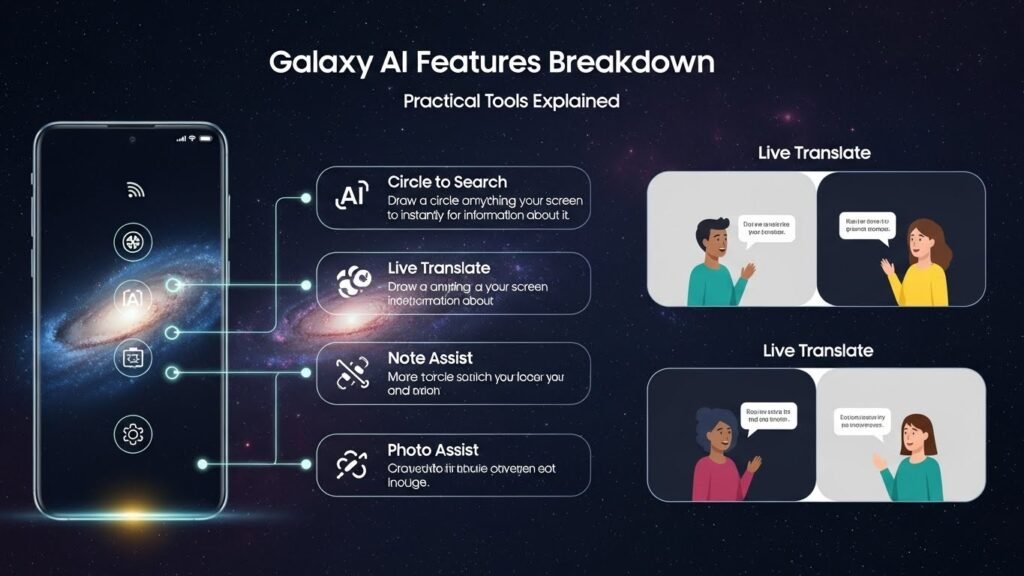
AI Select, introduced with the Galaxy S25 series, provides contextually appropriate action suggestions based on current screen content. The feature analyzes what users are viewing and recommends relevant next steps: while watching a video, it might suggest capturing a GIF of the current scene; when viewing a photo, it proposes setting the image as wallpaper; during map navigation, it offers to share the location with contacts.[232]
Users access AI Select by swiping from the edge of the screen to open the Edge Panel sidebar. The suggestions appear dynamically, changing as screen content shifts. This ambient intelligence model reduces the cognitive load of remembering which features exist and how to access them—the system surfaces options exactly when they’re useful.[232]
Device Compatibility and Feature Availability
Full Galaxy AI feature set (2024-2025 flagships)
The complete Galaxy AI toolkit is available on:
- Galaxy S24, S24+, S24 Ultra
- Galaxy S25, S25+, S25 Ultra
- Galaxy Z Fold 6, Z Fold 7
- Galaxy Z Flip 6, Z Flip 7, Z Flip 8
- Galaxy Tab S9, S9+, S9 Ultra
- Galaxy Tab S10, S10+, S10 Ultra[238][242]
Partial Galaxy AI (2023 flagships and select mid-range)
Older premium devices received four core Galaxy AI features through One UI 6.1 software updates: Circle to Search, Live Translate, Photo Assist (including Generative Edit), and Note Assist. Supported models include Galaxy S23 series, Galaxy S23 FE, Galaxy Z Fold 5, Galaxy Z Flip 5, and Galaxy Tab S9 series.[238][239]
Samsung extended limited AI functionality to the budget-oriented Galaxy A17 ($200 retail price), which includes Circle to Search and Google Gemini assistant despite its entry-level positioning—a strategic move to broaden AI exposure across Samsung’s product portfolio.[262]
Wearables and accessories
Galaxy AI integration extends beyond phones and tablets. Galaxy Buds 3 and Galaxy Buds 3 Pro use AI for adaptive noise cancellation and voice optimization. Galaxy Watch 7, Galaxy Watch Ultra, and Galaxy Ring leverage AI for health metric analysis, sleep pattern recognition, and personalized activity recommendations. Galaxy Book 4 Edge laptops incorporate select Galaxy AI features for cross-device continuity.[242]
Pricing Structure and Service Terms
Samsung classifies Galaxy AI features into two tiers: “basic” and “enhanced.” Basic features—those listed under “Advanced intelligence” in Samsung’s Services Terms and Conditions—remain free indefinitely and include core capabilities like Live Translate, Note Assist, Circle to Search, and standard photo editing functions.[268][238]
Enhanced AI features and any third-party AI integrations may require subscription fees, though Samsung has not published specific pricing or confirmed which features fall into paid tiers.[268] When Galaxy AI launched in January 2024, Samsung announced free access through the end of 2025, with potential charges beginning afterward—the company has not clarified whether this applies only to enhanced features or could affect previously free basic tools.[238]
All Galaxy AI features require a Samsung account and internet connection for initial setup, though some functions like Live Translate operate completely offline after language pack downloads.[268][270]
Usage Patterns and Adoption Data
Samsung released partnership research data in July 2025 showing that more than 70 percent of Galaxy S25 users actively leverage Galaxy AI tools, with Google Gemini usage tripling on the Galaxy S series compared to previous generations.[247] The data indicates growing consumer reliance on multimodal AI interfaces—those combining voice, text, and visual inputs—and preference for proactive features that anticipate needs rather than reactive tools requiring explicit activation.[247]
The most frequently used features cluster around communication (Live Translate), productivity (Cross App Actions, Note Assist), and photography (Generative Edit), suggesting users prioritize practical time-saving applications over experimental or showcase-oriented capabilities.[247]
Accessibility Applications
Galaxy AI includes several features designed specifically for users with disabilities. Visual assistance tools describe scenes through the camera, identifying objects, reading text aloud with natural intonation, and providing context about surroundings.[261] Enhanced voice recognition accommodates various accents and speech patterns, reducing frustration for users whose pronunciation doesn’t match standard training datasets.[261]
Live Translate’s on-screen transcription, navigable via screen readers, makes phone conversations accessible to deaf and hard-of-hearing users who can follow real-time text while the other party receives audio translation.[270] These accessibility features integrate directly into core phone functions rather than requiring separate specialized apps, reducing stigma and friction associated with assistive technology use.[261]
Practical Buying Guidance: Which Features Actually Matter
Scenarios where Galaxy AI delivers measurable value
International communication: Users who regularly interact with family, friends, or business contacts speaking different languages will find Live Translate’s offline, real-time capabilities more reliable and private than cloud-based translation apps. The feature performs best for straightforward transactional conversations rather than nuanced discussions.
Meeting documentation: Professionals attending frequent meetings benefit from the Transcript Assist pipeline: record conversations, generate speaker-labeled transcripts, apply Note Assist summarization, and optionally translate for international teams—all within Samsung’s ecosystem without third-party subscriptions.
Photo cleanup: Casual photographers who want clean vacation photos without learning complex editing software can use Generative Edit’s object removal and repositioning features, though the 12MP output resolution limits usefulness for users printing large formats or maintaining high-resolution archives.
Productivity consolidation: Users willing to adopt Samsung’s native apps (Calendar, Notes, Reminders, Internet browser) gain the most from Now Brief, Cross App Actions, and integrated AI features. Those committed to Google Workspace, Microsoft 365, or mixed-ecosystem workflows will see reduced functionality.
Related Articles for Techarrange
Features with limited practical impact
Generative wallpaper and photo style filters (Comic, 3D Cartoon, Watercolor) serve primarily as novelty features—users may experiment once but rarely incorporate them into daily workflows. Edit Suggestions’ inconsistent availability (many photos generate no suggestions) limits utility compared to manual editing tools.
AI Select’s context-aware action suggestions require users to remember to swipe for the Edge Panel and scan recommendations, adding friction that reduces spontaneous adoption. The feature works best for users who already habitually use Edge Panel shortcuts.
Feature combinations that create compound value
Galaxy AI’s strongest value proposition emerges when users combine multiple features into workflows: Circle to Search identifies a product → Cross App Actions searches for the best price and adds a reminder to compare later → Now Brief surfaces that reminder at an optimal decision time. Similarly, Transcript Assist → Note Assist summarization → Live Translate creates a complete meeting documentation pipeline for international teams.
Buyers evaluating Samsung devices should assess whether their usage patterns align with these integrated workflows rather than judging individual features in isolation. A user who maintains notes in Notion, calendars in Google Calendar, and tasks in Todoist will experience Galaxy AI as disconnected point solutions; a user willing to consolidate within Samsung’s ecosystem gains a more cohesive intelligence layer.