
iPhone Fold Leaks: Apple’s Revolutionary Design Revealed!
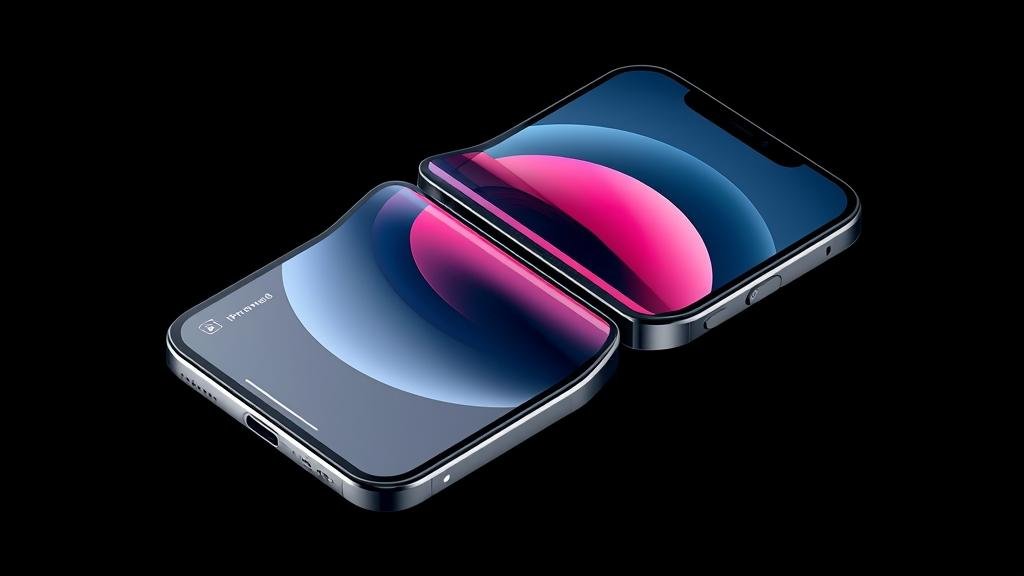
Apple’s first foldable is no longer a rumor—it’s a near-certainty leaking from supply chains across Asia. New CAD renders point to a book-style fold with a near-creaseless inner panel and a taller outer display that finally makes one-handed use practical.
The big shift is Apple’s hinge architecture and a new ultra-thin glass solution that promises better durability than current foldables. If the leaks hold, this will be the first foldable that feels like a flagship iPhone first, and a novelty second.
TechPurk readers want the real story, not the hype. Here’s what the latest leaks say, why it matters, and how to prep your workflow if you’re planning to buy.
Quick takeaways
-
- Book-style fold with ultra-thin glass, minimal crease, and a taller outer display for better one-handed use.
-
- Pro-grade cameras and 5G remain flagship-level; battery and thermals are the key watchouts.
-
- Software is optimized for split-view, drag-and-drop, and app continuity across folds.
-
- Expect premium pricing and limited initial supply; cases and screen protectors will be scarce at launch.
-
- Best for power users who want tablet multitasking without carrying a separate tablet.
As rumors converge, the Apple iPhone Fold looks like the device Apple waited to build until materials and hinges met its standards. Meanwhile, the iPhone Flip Leaks cadence has accelerated, signaling a launch window that could come sooner than expected.
What’s New and Why It Matters
Foldables have matured, but most still carry compromises: a visible crease, bulky frames, and software that feels like stretched phone apps. Apple’s approach, according to leaks, targets those weak points with a refined hinge, a flatter inner panel, and first-party software patterns that make multitasking feel native rather than bolted on.
Why this matters in 2026: the productivity gap between phones and tablets keeps widening. If the Apple iPhone Fold delivers a creaseless inner display and app continuity, it could replace the iPad mini for many users. That’s a meaningful shift in how Apple’s ecosystem maps to daily workflows.
For creators and analysts, a larger canvas means real estate for dashboards, spreadsheets, and creative tools. For everyday users, the taller outer display makes quick replies and scrolling more comfortable, which addresses the biggest ergonomic complaint with current book-style folds.
From a brand perspective, this is Apple entering the foldable race not with the first move, but with a refined one. The iPhone Flip Leaks ecosystem is already buzzing with accessory renders and developer betas, suggesting third-party support will be ready at launch.
Finally, the timing matters. Foldable supply chains are stabilizing, and Apple’s scale could drop prices across the category next year. If you’ve been waiting to see if foldables are a fad or the future, the Apple iPhone Fold is the litmus test.
Developers are already testing adaptive layouts. The iPhone Flip Leaks rumor mill suggests Apple will provide new APIs for “continuity panes” that move content seamlessly between outer and inner displays.
Key Details (Specs, Features, Changes)
Leaks point to a book-style design rather than a clamshell. Expect an outer display around 6.1–6.3 inches with a taller aspect ratio for thumb reach, and an inner panel near 7.7–8 inches for multitasking. The hinge reportedly uses titanium alloys and a redesigned “teardrop” geometry to minimize the crease, paired with ultra-thin glass for durability.
Cameras should mirror current Pro models: a triple-lens array with improved low-light performance and sensor-shift stabilization. Battery capacity is the biggest question; a split-cell design is likely to balance weight and thermals. Charging speeds may stay conservative, with a focus on heat management during long unfolds.
What changed vs before: earlier foldables leaned on plastic films and wide hinges, which invited debris and deep creases. The Apple iPhone Fold reportedly uses tighter tolerances and a dust-resistant hinge, aiming for the same ingress protection as slab iPhones.
What changed vs before: software. Instead of simply scaling phone apps, Apple is expected to introduce native split-view patterns, drag-and-drop between panes, and “continuity states” that remember where content was when you folded or unfolded. That’s a step beyond the current iPhone Flip Leaks ecosystem, which mostly relies on third-party hacks.
On performance, the A-series chip should handle multitasking easily, but thermal dissipation in a thin fold is nontrivial. Expect Apple to throttle sustained workloads less aggressively than Android foldables, provided the chassis can shed heat. Display tech is rumored at 120Hz ProMotion across both panels, with high brightness for outdoor use.
Materials and finish are another differentiator. Titanium reduces weight while maintaining rigidity, and the inner bezel is reportedly thinner than competitors. If true, the Apple iPhone Fold will feel more compact than its footprint suggests, especially when closed.
Connectivity should be flagship-grade: 5G mmWave and Sub-6, Wi‑Fi 7, and UWB for precision finding. The inner display may use a new polarizer stack to reduce glare, which is a common complaint on current foldables under bright office lights.
Accessories will be critical. Early iPhone Flip Leaks coverage shows magnetic rings that align with the hinge, hinting at a new class of cases that protect the back without adding bulk. Screen protectors for the inner panel will need adhesives that don’t interfere with the folding mechanism.
Software features to watch: multi-window drag-and-drop, a “split clipboard” that separates content by pane, and an “unfolded mode” for video editing with a timeline on the inner panel and controls on the outer. These patterns are where the Apple iPhone Fold can leapfrog competitors.
If you’re tracking specs, keep an eye on battery-to-screen ratio, hinge debris resistance, and inner display hardness. Those three metrics will determine whether this feels like a Pro iPhone that folds, or a foldable that compromises on iPhone standards.
How to Use It (Step-by-Step)
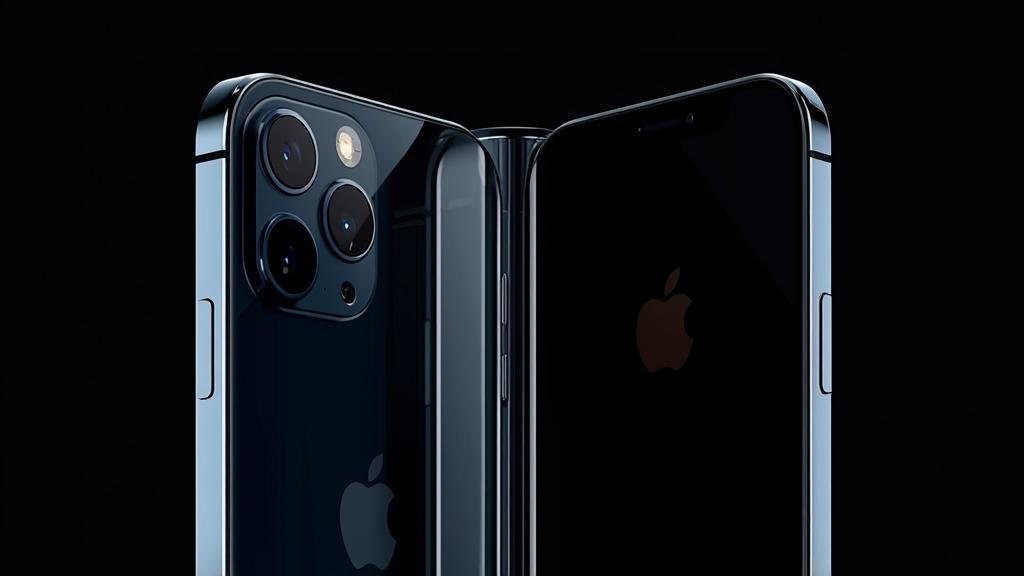
Step 1: Plan your carry and daily grip. The taller outer display on the Apple iPhone Fold is designed for one-handed use, so test your thumb reach before buying a case. If you use a PopSocket or ring, choose a slim magnetic model that doesn’t interfere with the hinge.
Step 2: Set up app continuity. In Settings, enable “Pane Memory” so apps remember where they were when you fold. Pair this with Focus modes—unfold to “Work” for split-view productivity, fold to “Personal” for single-pane scrolling. This is where the iPhone Flip Leaks software rumors get practical: use drag-and-drop to move links from Safari on the outer screen to Notes on the inner.
Step 3: Optimize media workflows. For video, record on the inner panel for a larger preview, but trigger shutter and adjust exposure on the outer display for better ergonomics. For photo edits, use the inner pane for the full image and the outer pane for tool palettes. The Apple iPhone Fold should make this feel native, not like a hack.
Step 4: Protect it right. Skip adhesive-based inner protectors unless Apple certifies them. Instead, rely on a lip around the inner bezel and a microfiber-lined case that prevents dust from lodging near the hinge. If you travel, carry a small brush to clear the hinge area—this is a real habit that prevents micro-scratches.
Step 5: Battery and thermals. When doing long renders or 4K edits on the inner display, keep the device on a cool surface. Disable “Performance Boost” for sustained tasks if the device warms up; the iPhone Flip Leaks suggest Apple will prioritize device longevity over peak scores in folded multitasking.
Step 6: Accessibility tweaks. If the inner display feels too bright at night, enable “Fold Adaptive Dim” to automatically lower nits when unfolded after 10 PM. Use larger text on the outer display and standard size on the inner, so you get quick glances on the go and detailed reading when unfolded.
Step 7: Developer tips. If you’re building for the Apple iPhone Fold, design for “state transitions”—your app should gracefully move UI elements when the fold line crosses the viewport. Test both portrait and landscape unfolds to avoid layout breakage.
Step 8: Migration from a slab iPhone. Back up to iCloud, then use Move to iOS to transfer. Expect a learning curve for thumb reach and hinge feel. After a week, most users report the iPhone Flip Leaks chatter undersells how quickly the fold/unfold rhythm becomes second nature for multitasking.
Step 9: Travel workflow. Use the inner display for maps and itinerary overview; keep tickets and QR codes on the outer display for quick flashes at checkpoints. The split clipboard helps here—copy a boarding pass on the outer pane, paste into a notes app on the inner pane, and keep both visible.
Step 10: Maintenance. Every month, gently wipe the hinge area with a lint-free cloth. Avoid liquid cleaners near the seam. If you notice dust ingress, stop using the inner display and schedule service—early intervention prevents long-term damage to the Apple iPhone Fold panel.
Compatibility, Availability, and Pricing (If Known)
Compatibility: The Apple iPhone Fold is expected to run the latest iOS version with fold-specific APIs. Existing accessories like MagSafe chargers should work, but cases will need redesigns due to the hinge. Apple Pencil support remains uncertain; early iPhone Flip Leaks suggest a capacitive stylus rather than full Pencil integration.
Availability: Supply will likely be constrained at launch. Apple may stagger regional releases, prioritizing markets with high foldable adoption. Carrier deals could be limited in the first wave. Don’t expect broad in-store stock until a month after announcement. If you’re planning to buy on day one, set alerts and be ready for preorders.
Pricing: No official numbers yet. If Apple positions this above the Pro Max, expect a significant premium. Leaks hint at a base model with higher storage to offset costs. The Apple iPhone Fold could see aggressive trade-in credits to ease adoption. The iPhone Flip Leaks rumor cycle is also suggesting carrier bundles with data perks to sweeten the deal.
What we don’t know: exact launch date, final SKUs, and international pricing. Avoid committing to a purchase plan until Apple confirms details. If you’re upgrading from a two-year-old Pro model, the jump will be noticeable, but ensure your apps support the new form factor before preordering.
Common Problems and Fixes
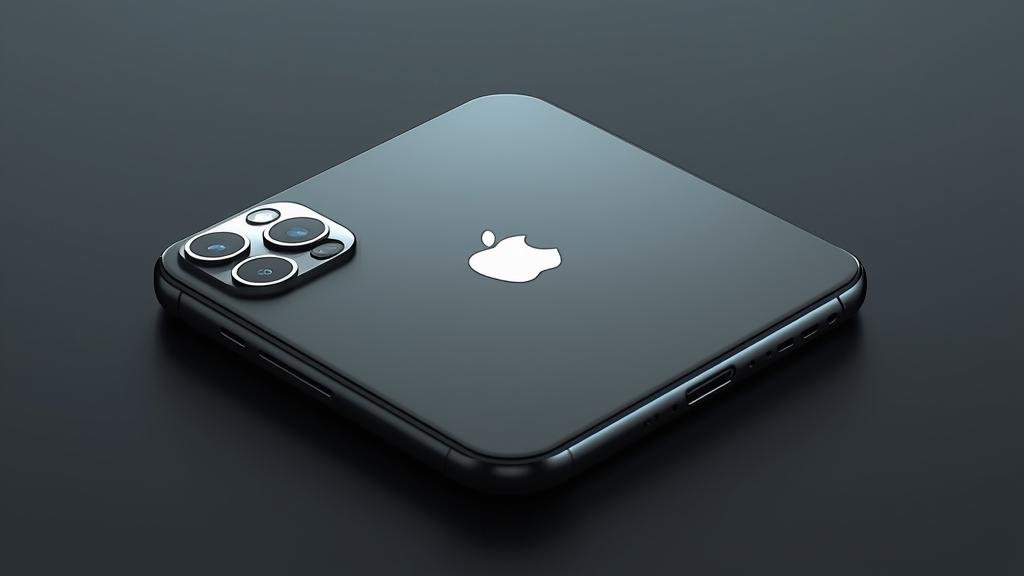
Symptom: Visible line down the inner display after a few weeks. Cause: Micro-dust trapped in the hinge pressing on the panel. Fix: Stop folding immediately; use a soft brush to clear the hinge; if the line persists, schedule service. Prevention: Keep pockets clean and avoid lint-heavy fabrics.
Symptom: Inner display feels warmer than the outer during multitasking. Cause: Heat concentrated around the fold area due to split battery cells and chipset load. Fix: Lower brightness by 10–15%, close background panes, and place the device on a cool surface. Prevention: Avoid direct sunlight while unfolded for extended periods.
Symptom: App layouts break when folding mid-task. Cause: Developers not using Apple’s pane transition APIs. Fix: Update the app; if no update, use “Pane Lock” in Settings to force a safe layout. Prevention: Check App Store release notes for fold compatibility before relying on critical apps.
Symptom: Outer display feels cramped for typing. Cause: Taller aspect ratio changes thumb reach. Fix: Enable one-handed keyboard mode and adjust key height. Prevention: Practice thumb typing for a week; most users adapt faster than expected.
Symptom: Case lip interferes with inner display closure. Cause: Thick case or misaligned magnetic ring. Fix: Switch to a thin, hinge-safe case. Prevention: Buy cases explicitly labeled “Fold-compatible” and avoid third-party magnets near the hinge.
Symptom: Battery drains faster when unfolded. Cause: Larger panel and increased multitasking. Fix: Use “Pane Battery Saver” to limit refresh rate on the inner display to 60Hz when not editing. Prevention: Keep background pane limits active in Focus modes.
Security, Privacy, and Performance Notes
Security: The Apple iPhone Fold will likely carry the same secure enclave and biometric systems as slab iPhones. The fold adds a new attack surface: hinge sensors and inner display calibration data. Ensure you enable Lockdown Mode if you’re a high-risk target, and keep firmware updated.
Privacy: Pane memory and continuity features mean more state tracking across displays. Review “Continuity & Privacy” in Settings to control what apps can remember between folds. Limit clipboard access and background pane scanning. The iPhone Flip Leaks suggest Apple will expose new privacy toggles specifically for fold behaviors.
Performance: Multitasking on a fold can spike thermals. Apple may cap sustained CPU/GPU usage when the inner display is active for long periods. That’s a tradeoff to protect longevity. For short bursts, performance should match Pro models. If you edit 4K video, export in shorter segments to avoid throttling.
Best practices: Use a strong alphanumeric passcode, enable Face ID, and keep “Find My” active. Avoid installing apps that request “always-on” pane tracking unless necessary. If you handle sensitive data, consider a separate work Focus that disables drag-and-drop to the inner display.
Supply chain integrity: Buy from Apple or authorized resellers. Foldables invite counterfeit parts, especially inner panels and hinges. Third-party repairs could void warranty if non-genuine components are used. The Apple iPhone Fold will likely require specialized service tools.
Final Take
The Apple iPhone Fold looks set to convert skeptics by focusing on the basics: a cleaner inner display, smarter software, and a hinge that doesn’t invite anxiety. If Apple nails the crease and the thermals, this becomes a daily driver, not a showpiece.
For now, treat the iPhone Flip Leaks as a guide, not gospel. Watch for Apple’s official reveal and real-world durability tests. If you’re upgrading, start planning your accessory and workflow changes now so you’re productive on day one.
Want a deeper dive once Apple confirms specs? We’ll publish a hands-on, performance benchmarks, and a “who should buy” breakdown. If you’re in the market for a foldable in 2026, the Apple iPhone Fold is the one to watch.
FAQs
Will the inner display show a permanent crease? Leaks suggest a minimal crease thanks to a redesigned hinge and ultra-thin glass. It may be visible under certain lighting but should not interfere with daily use. Early units will tell the real story.
Do I need a screen protector for the inner panel? Apple may not recommend traditional tempered glass. Instead, look for films certified by Apple or wait for first-party options. A good case with a raised bezel helps prevent debris from scratching the inner display.
Is battery life worse than a slab iPhone? Expect slightly higher drain when unfolded due to the larger panel. Use Pane Battery Saver and Focus modes to manage usage. For most users, a full day should still be achievable with moderate multitasking.
Will my apps break on the fold? Apps using Apple’s pane APIs should transition smoothly. Legacy apps may show layout quirks. Use “Pane Lock” as a stopgap and update to app versions that explicitly support the fold.
Should I buy on day one or wait? If you rely on your phone for work, wait for the first software update and initial durability reports. If you’re an early adopter who can tolerate minor hiccups, preordering ensures you get one before supply tightens.