
For buyers, the headline is simple: the Google Pixel 11 Pro may finally be free of off-the-shelf cores in the main cluster, giving Google full control over scheduling, power states, and ML accelerators. The result we expect: longer battery life, steadier thermals, and faster on-device model execution.
Insiders also expect the new silicon to carry the Tensor G6 Chip branding, with a custom CPU configuration and an upgraded TPU tuned for generative tasks. If that holds, the phone becomes a compact dev kit for on-device AI features that used to rely on cloud round-trips.

Quick takeaways
-
- Google is expected to ship its first fully custom CPU design, moving away from stock ARM cores in the main cluster.
-
- On-device AI should get faster and more private, with expanded capabilities for image editing, transcription, and summarization.
-
- Thermals and battery efficiency are the primary targets; expect steadier performance under sustained load.
-
- Camera pipelines will be more tightly integrated with the new ISP and TPU for faster processing and better low-light consistency.
-
- Base RAM is likely to increase to handle larger local models and multitasking.
-
- Launch timing points to a 2026 release; pricing should mirror the current Pro tier unless tariffs or component costs shift.
What’s New and Why It Matters
The Pixel 11 Pro’s headline is the move to a fully custom chip. Previous Tensor generations leaned on Samsung’s Exynos foundations and ARM stock cores. With a from-scratch design, Google can define the CPU clusters, memory subsystem behavior, and power states to match its software stack. That matters because Android, the Pixel Feature Drops, and on-device ML libraries can be tuned to the metal, not to someone else’s reference design.
For everyday use, this translates to fewer frame drops during camera switching, faster background transcription, and more reliable AI-assisted editing. The TPU (Tensor Processing Unit) is rumored to see a generational bump, which directly speeds up transformer-based models used for summarization, noise suppression, and image generation tasks. If you live in Recorder, Photos, or Gboard’s speech tools, the latency improvements should be noticeable.
It also matters for privacy. More capable on-device silicon means fewer tasks need to phone home. Summaries, transcriptions, and smart compose can stay local, and the new chip’s secure partition can isolate credentials and model weights. This is the kind of shift that turns a phone from a “cloud client” into a credible edge computer.
Finally, there’s the stability angle. A custom chip gives Google control over thermal throttling curves and scheduler behavior. Instead of chasing peak bursts that quickly throttle, the Google Pixel 11 Pro can be tuned to sustain usable performance for longer, which matters in gaming, navigation, and long video captures. The Tensor G6 Chip should be the enabler of that balance.
Key Details (Specs, Features, Changes)
Based on current leaks and credible reporting, the Pixel 11 Pro is shaping up to be a refinement focused on efficiency and AI throughput. The custom CPU is the big story, but memory and imaging upgrades are just as important for real-world speed. Expect a larger TPU, a more efficient ISP, and a RAM bump to keep models resident in memory.
Here’s what we expect to change versus the previous generation:
-
- CPU design: A shift to a fully custom Google CPU in the main cluster, replacing stock ARM cores. This should improve scheduling alignment with Android’s workload manager and reduce context-switch overhead.
-
- AI silicon: The TPU is expected to support larger batch sizes and new data types, accelerating transformer models for on-device summarization, translation, and image edit tasks.
-
- Imaging pipeline: The ISP and TPU are rumored to share more bandwidth, enabling multi-frame fusion at higher resolutions with less latency and lower power draw.
-
- Memory: A likely move to 12GB or even 16GB base RAM, ensuring local models and heavy multitasking don’t force constant reloads.
-
- Thermals: New voltage regulation and a vapor chamber or improved graphite layout to sustain performance during gaming or 4K60 recording.
-
- Connectivity: Continued integration of the Titan security module and updated modems for better 5G efficiency and carrier aggregation.
Compared to the previous Pixel Pro model, the biggest difference is control. Prior Tensor chips were constrained by Samsung’s baseline architecture; the Tensor G6 Chip should let Google define the performance curve end-to-end. That means fewer thermal surprises and more predictable battery behavior. Camera processing, which already leveraged the TPU heavily, should be faster and more consistent, especially in low light where multi-frame stacking is computationally expensive.
On the software side, the Google Pixel 11 Pro is expected to launch with features that depend on the new silicon. We’re likely to see expanded on-device summarization in Recorder, smarter compose in Gboard, and advanced object removal in Photos that runs locally. Those features previously relied on cloud backends or had limited scope; the new chip should widen both capability and availability.
How to Use It (Step-by-Step)
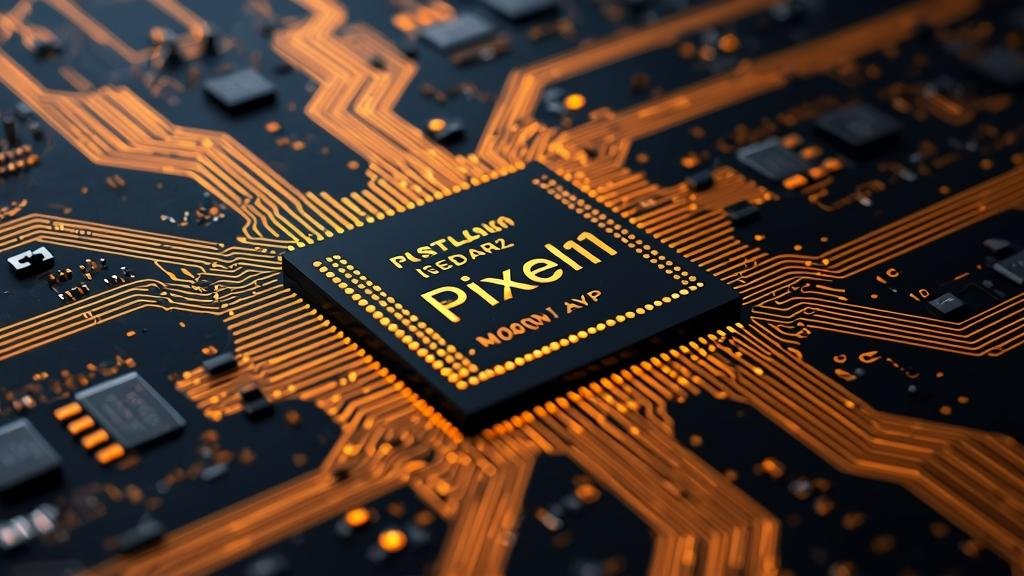
Once the Google Pixel 11 Pro lands, the real value is in how you configure and use the new silicon. These steps assume you’ve updated to the latest Android build and installed the newest Google Photos and Recorder versions.
Step 1: Enable the right performance profile
-
- Go to Settings > Battery and set “Adaptive Battery” to On. This lets the OS learn your patterns and align the Tensor G6 Chip scheduling with your routine.
-
- In Settings > System > Performance, choose “Balanced” for daily use. Switch to “Performance” only for gaming or long 4K60 shoots. Balanced preserves thermals without sacrificing responsiveness.
Step 2: Optimize on-device AI features
-
- Open Recorder, tap Settings > Transcription, and enable “On-device only.” This keeps transcripts local. The new TPU handles this faster, so you’ll see near-real-time results.
-
- In Photos > Settings > Editing, toggle “On-device suggestions.” Object removal and smart crop will run locally, reducing upload needs and improving privacy.
Step 3: Camera workflow for heavy scenes
-
- For low-light shots, use Night Sight with the main sensor. The ISP/TPU combo stacks frames more efficiently; avoid switching lenses mid-capture to prevent pipeline stalls.
-
- When recording 4K60 in warm environments, enable “Stable thermals” in Camera settings. This caps initial burst bitrate to prevent early throttling and keeps frame pacing steady.
Step 4: Memory and multituning
-
- If you run large apps (Maps, Spotify, and Slack simultaneously), keep “Developer options > Don’t keep activities” OFF. The extra RAM should keep apps resident; disabling it prevents constant reloads.
-
- Use the new “Model Manager” (Settings > AI & Privacy) to see which on-device models are active. Disable any you don’t use to free TPU cycles and memory.
Step 5: Connectivity and security
-
- Enable “Private DNS” (e.g., a trusted provider) to reduce tracking without breaking features. The Titan module on the chip handles key storage, so DNS changes won’t impact secure enclave operations.
-
- Turn on “Adaptive Connectivity” to let the phone switch between 5G and LTE intelligently, saving battery during background tasks.
Step 6: Real-world examples
-
- Commute: Start a voice note in Recorder; live transcription stays local. Summarize on-device, then share only the summary if needed.
-
- Travel: Take a group photo in dim light. Use “Magic Eraser” locally to remove photobombers without uploading the image.
-
- Gaming: Use Performance mode for 30-minute sessions, then switch back to Balanced to cool down quickly.
Compatibility, Availability, and Pricing (If Known)
At this stage, we’re working with credible leaks rather than official specs. Google has not announced the Pixel 11 Pro, and details about the Tensor G6 Chip or final hardware configurations remain unconfirmed. That said, supply chain reporting and historical patterns can guide expectations.
Compatibility should be straightforward for most users coming from recent Pixel models. The device will run Android with the latest feature drops, and existing Google apps will leverage the new silicon automatically. If you rely on specific enterprise or MDM features, confirm support for the new performance profiles and on-device model policies before updating.
Availability is likely to follow Google’s standard cadence: a reveal event, followed by a staggered rollout across regions. Carriers may offer promotions tied to trade-ins or unlimited plans. If tariffs or component shortages impact pricing, expect a modest increase over the previous Pro tier. Storage tiers will probably start at 128GB, with 256GB and 512GB options. A 1TB variant is possible if local model storage becomes a selling point.
Pricing specifics are unknown. If Google maintains parity, the Google Pixel 11 Pro should slot in where the current Pro sits at launch. Any shift will depend on memory costs, modem pricing, and the economics of a fully custom chip. We’ll update when Google publishes official numbers.
Common Problems and Fixes
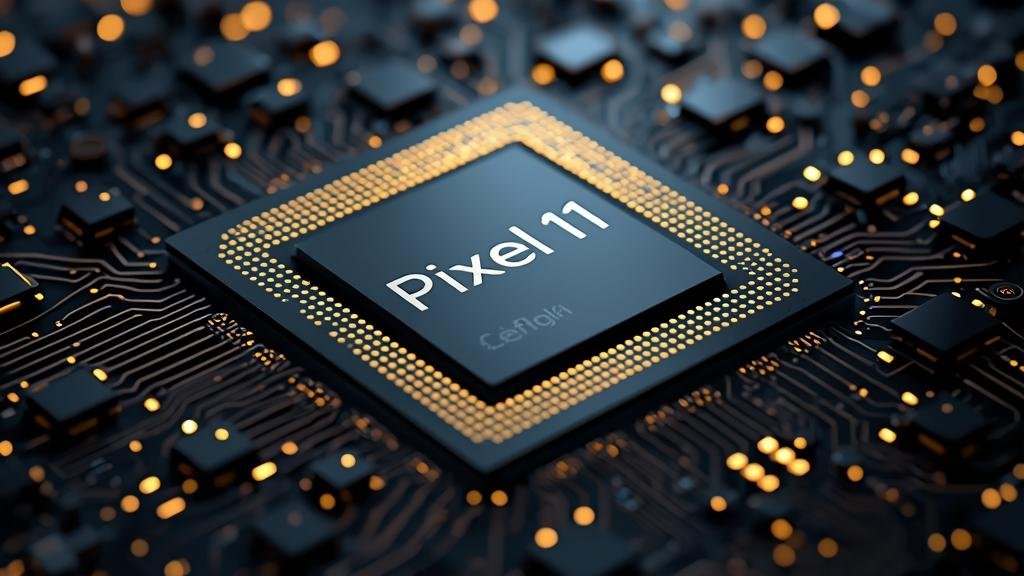
Even with a custom chip, early adopters can run into quirks. Here are realistic issues you might see on the Google Pixel 11 Pro and how to fix them.
Symptom: Device feels warm and performance dips during long camera sessions or gaming.
Cause: Thermal limits are kicking in to protect components; background tasks may be compounding heat.
Fix steps:
-
- Switch to Balanced mode in Settings > System > Performance.
-
- Enable “Stable thermals” in Camera settings for 4K60 recording.
-
- Close navigation and streaming apps running in the background.
-
- Avoid wireless charging while doing heavy tasks; use wired charging to reduce heat.
Symptom: On-device transcription or summarization is slow or inconsistent.
Cause: Large language models may be loading from storage; low memory triggers swap; or the app is using cloud fallback due to network conditions.
Fix steps:
-
- Open Settings > AI & Privacy and ensure on-device models are fully downloaded.
-
- Check available storage; keep at least 5GB free for smooth model operation.
-
- Disable “Adaptive connectivity” temporarily if network flaps are causing cloud fallback.
-
- Update Recorder and related Google apps to the latest versions.
Symptom: Battery drain is higher than expected in the first few days.
Cause: Initial indexing, model downloads, and app learning cycles.
Fix steps:
-
- Let the phone complete its first 24–48 hours of adaptive learning.
-
- Review Battery usage for misbehaving apps and restrict background activity if needed.
-
- Turn off “Always-on display” temporarily to gauge baseline drain.
Symptom: App crashes when using advanced editing tools.
Cause: App compatibility with the new TPU/ISP stack or corrupted cache.
Fix steps:
-
- Clear app cache (Settings > Apps > [App] > Storage & cache).
-
- Check for updates in Play Store.
-
- Restart the device to reinitialize hardware acceleration paths.
Security, Privacy, and Performance Notes
The Tensor G6 Chip is expected to continue Google’s emphasis on on-device security with the Titan M2/M3-style module. This handles key storage, secure boot, and real-time integrity checks. For most users, the benefit is passive: your credentials and sensitive data remain isolated even if the main OS is compromised.
From a privacy standpoint, on-device AI is the headline. Local transcription, summarization, and editing reduce data exposure and improve latency. However, not all features will be on-device by default. Review Settings > AI & Privacy to understand what’s local versus what uses cloud assist. If you want maximum privacy, toggle features to on-device only, but note that some advanced capabilities may be limited or slower.
Performance tradeoffs are about balance. The custom CPU should deliver better sustained performance than peak-only designs, but it’s still a phone, not a desktop. Expect excellent responsiveness and strong efficiency, but don’t assume it can replace a laptop for long, heavy workloads. Thermal management is key: use Balanced mode for daily tasks and reserve Performance mode for short bursts.
Finally, keep the system updated. Google often tunes scheduler behavior and power management in point releases. If you see odd battery behavior or app glitches after a major update, wait a day for indexing to finish, then apply the troubleshooting steps in the previous section.
Final Take
The Pixel 11 Pro looks like the moment Google’s hardware and software ambitions fully align. A fully custom chip gives the company the levers it needs to deliver sustained performance, efficient AI, and tighter privacy. For users, that means a phone that feels consistent under load, edits photos and transcribes speech locally, and spends less time waiting on the cloud.
If the leaks hold, the Google Pixel 11 Pro will be defined by efficiency and on-device capability, not just raw speed. The Tensor G6 Chip is the engine behind that shift. Watch for official specs and real-world battery tests before you buy, but if you’re due for an upgrade and want a phone that’s purpose-built for the next wave of AI features, this is a strong candidate.
Planning to pick one up? Start by prepping your apps and workflows for on-device usage now. When it lands, you’ll be ready to take full advantage of what the silicon can do.
FAQs
Is the Pixel 11 Pro confirmed?
No. As of now, Google has not officially announced the Pixel 11 Pro. The details here are based on credible leaks and reporting; we’ll update when Google shares official specs.
What’s the main benefit of a fully custom chip?
Control. Google can define the CPU clusters, power states, and ML accelerators to match its software. That typically results in better efficiency, steadier performance, and faster on-device AI.
Will on-device features replace cloud features?
Not entirely. Many tasks will stay on-device for speed and privacy, but advanced or complex features may still use cloud assist when needed. You’ll be able to choose in Settings.
How much RAM will it have?
Leaks suggest a bump to at least 12GB, with a possibility of 16GB in higher trims. This helps keep large models resident and improves multitasking.
Should I upgrade from the previous Pixel Pro?
If you care about sustained performance, on-device AI, and battery efficiency, the upgrade looks compelling. If your current device meets your needs, you can wait for official benchmarks and pricing.